Adding a reservation link to your Instagram profile allows customers to quickly book your service directly from your profile page.
The “link in bio” is a clickable URL displayed at the top of your Instagram profile. When users click it, they are redirected to your website or reservation platform, where they can immediately make a booking.
Prerequisites: Make sure you have your unique Eventlin link. It was sent to you via email, but you can also find it anytime in your Eventlin Admin panel under the Promoters section (listed as your Instagram link).
Steps:
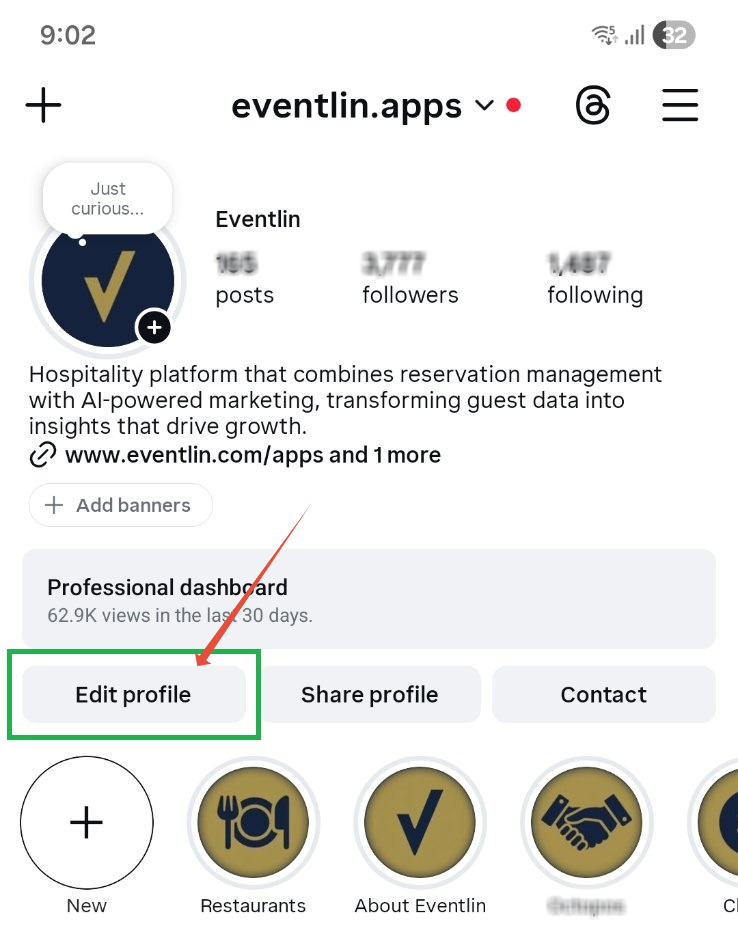
- Go to your Instagram profile and tap Edit Profile.
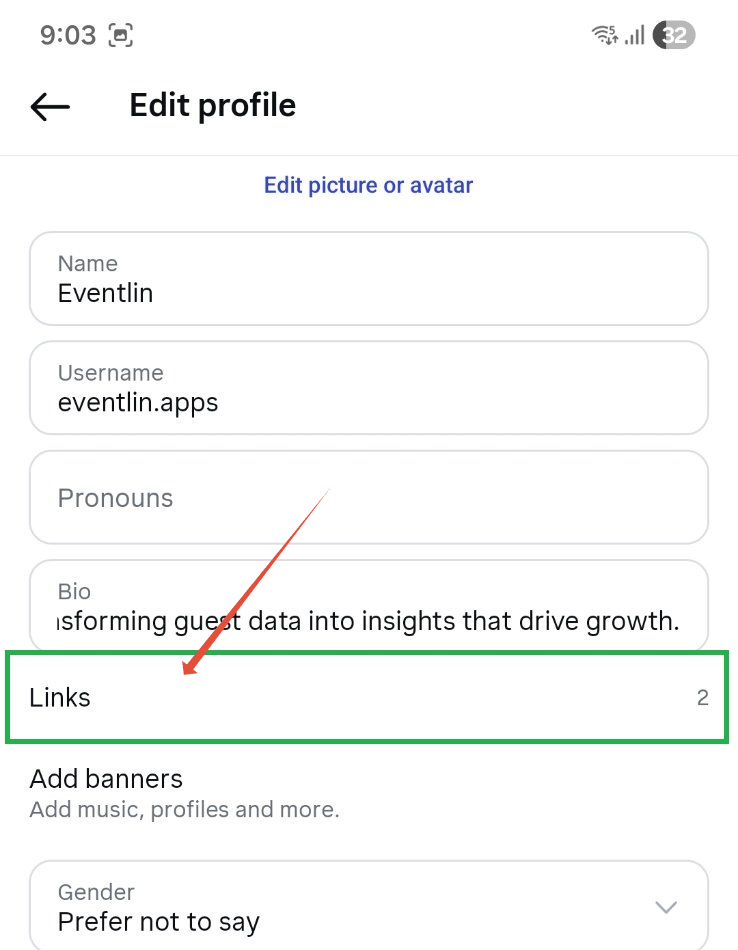
- Open the Links section.
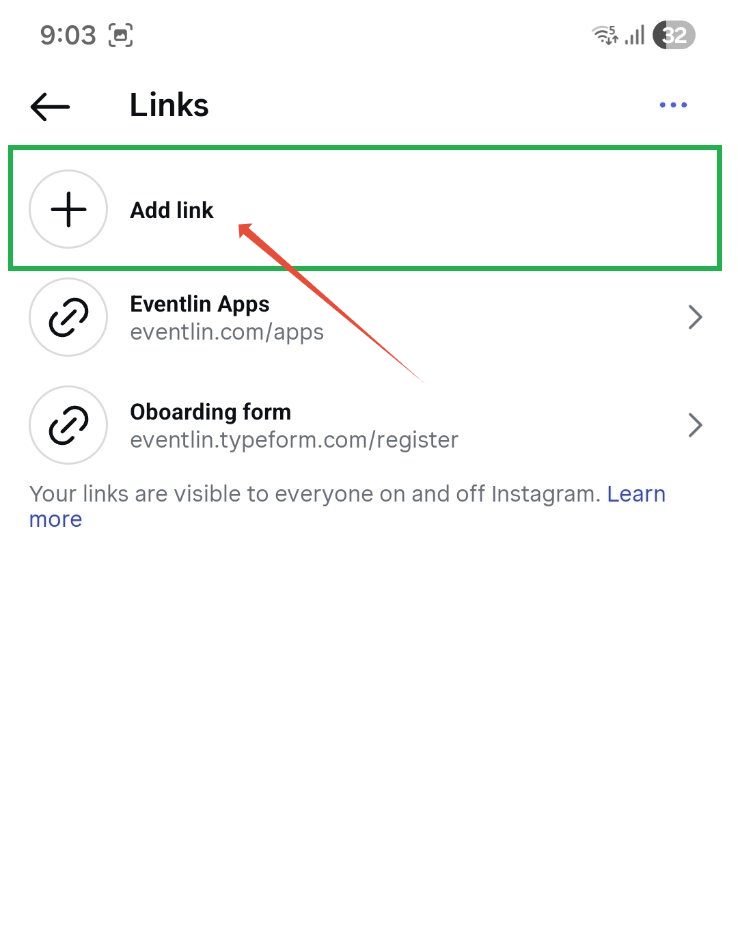
- Click Add Link.
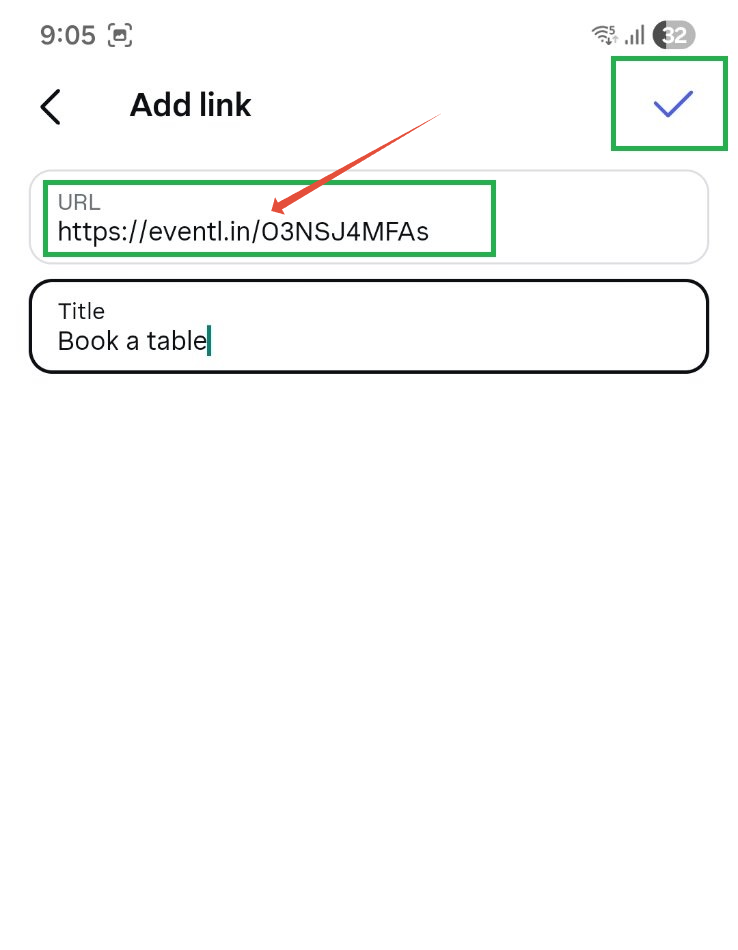
- In the URL field, paste the link we provided, enter a title of your choice, and confirm.
Was this article helpful?
That’s Great!
Thank you for your feedback
Sorry! We couldn't be helpful
Thank you for your feedback
Feedback sent
We appreciate your effort and will try to fix the article
